Converting Word to HTML: The Technical Secret Behind DOCX
In my previous project, there is an intersting task: storing customer contracts inside a Magento system.The client wanted to upload contracts in .docx format, with two key requirements:
- Automated and Manual Editing: Need to autofill the contract info behind the manually editing the contract when needing.
- Storage and Signing: the system had to store the final contract and support the electric signatures.
A first solution that came in mind was converting the Docx file into HTML to make it easily editable in browser. I went to this approach. But, I wanted to understand the technical mechanics behind it. Is it easy or incredibly difficult?
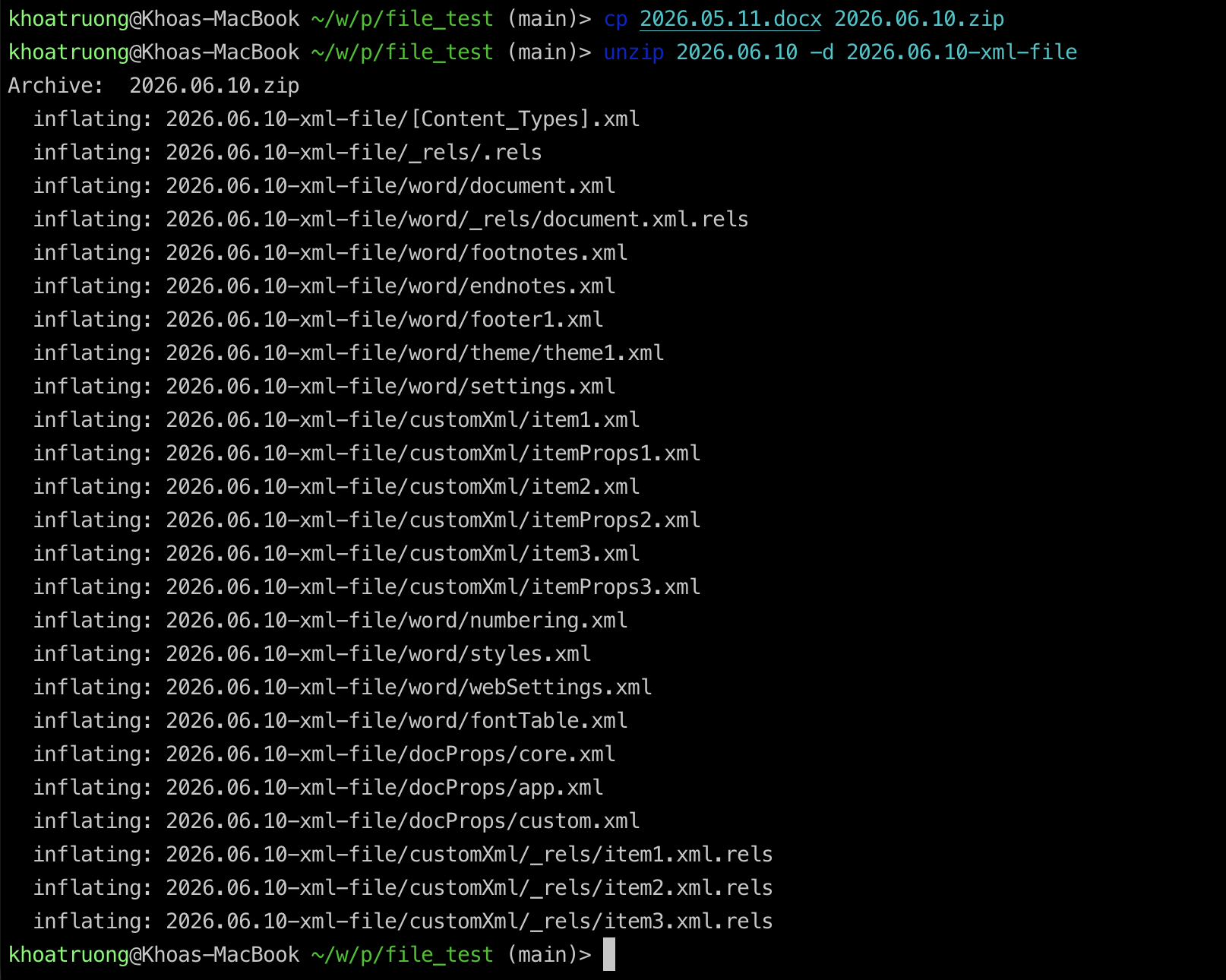
Finally, I discovered the secret sauce: a .docx file is actually just a renamed ZIP archive. If you change the file extension from contract.docx to contract.zip and extract it, you will uncover its underlying directory structure. Inside, you will find a collection of XML files—primarily document.xml—which contain the entire structure, styles, and content of the Word document.
From an experienced developer, the solution becames clear: build the code to parse these XML structures. We can select Javascript, Python or a programming language which you’re familiar with. (Fun fact: Google Docs is primarily written in JavaScript for the client-side user interface).
The basic breakdown of the workflow looks like this:
- Zip file: Create a new zip file extension from the orginal docx file. Unzipping the zip file and we will have the xml files
- Parse the XML data: Write code to read the XML tags and map Word elements to valid HTML tags.
From the macOS CLI, you can change the file type from docx to zip and unzip the file and you will see xml files:
While the steps sound simple, the real challenge lies in the Parser Converter task. Your code has to account for a massive variety of formatting features, styles, tables, and nested structures that Microsoft Word offers to users. Building a robust parser from scratch is a massive undertaking.